Turn a Voice Memo Into a Blog Post Draft With Claude
Turn a voice memo into a blog post draft with Claude: transcribe it free on your device, paste the plain text and use a prompt that keeps your words.
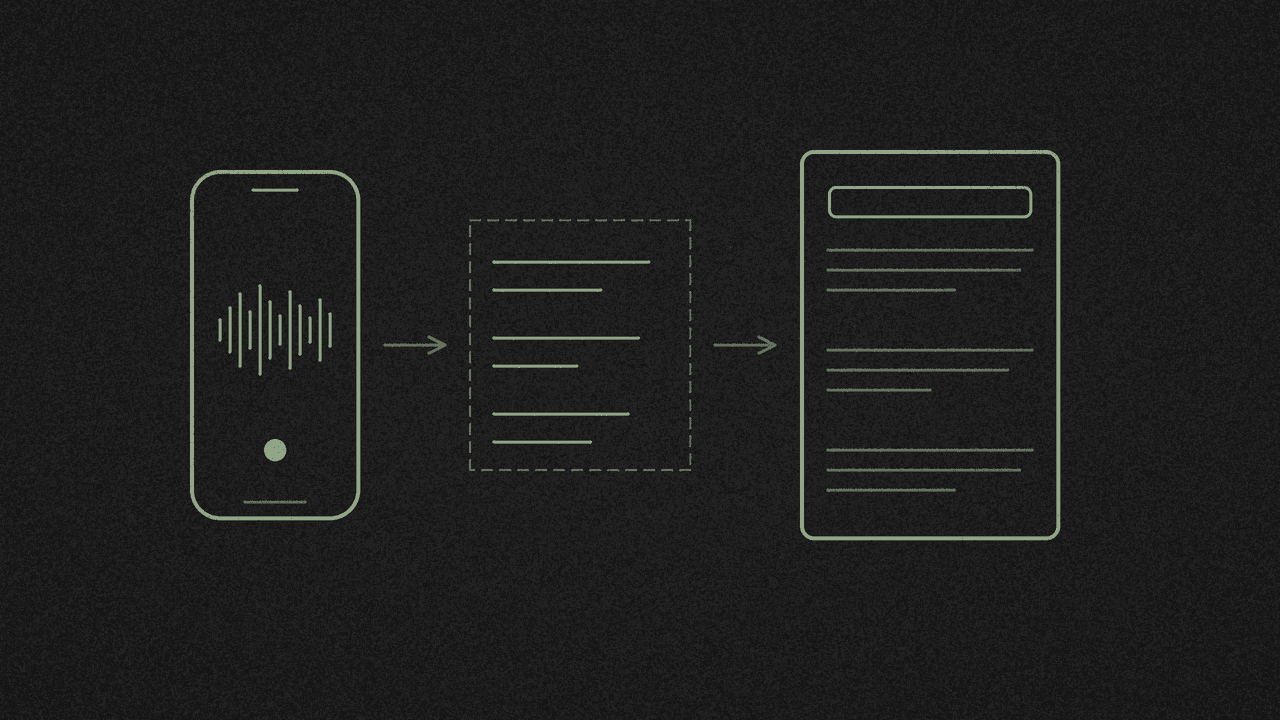
You talked an idea through on a walk, and now it sits in a voice memo. To get a blog draft out of it, you need the words as plain text, then a prompt that tells Claude to keep them. The media transcriber makes the text in your browser. Claude writes the draft. You carry the text across yourself, because shinmuscat doesn't connect to Claude.
We wrote the prompt in step 4 from Anthropic's own prompting guide. We haven't tested it, so this post has no sample draft. Read whatever Claude gives you against the memo before you publish.
What you should know first
- Copy and Plain text .txt give you words only. There are no timestamps, and a blank line separates each segment. That's the text Claude gets.
- Your phone may make the transcript for you. Voice Memos on iPhone 12 or later and the Recorder app on Pixel can both hand you text.
- The transcript stays on your device until you paste it. Once it's in Claude, Anthropic has it.
- Claude needs an account. Anthropic requires phone verification for every new user, and you must be 18 or over. The no-signup part applies to shinmuscat only.
- Claude's Free plan has limits. Anthropic says usage resets every five hours and doesn't publish a message count.
Step 1: Check whether your phone already has the transcript
iPhone. Apple says "Audio transcription is available on iPhone 12 or later in English (all variants), Spanish, Portuguese, Italian, French, German, Japanese, Korean, Simplified Chinese, and Traditional Chinese. It's not available in all countries or regions." If yours qualifies, open the memo in Voice Memos, choose Copy Transcript and go to step 4.
Pixel. Google's Recorder help page says to tap Share File, pick Audio Transcript, then tap Share Transcript (.txt). Send that file to yourself and go to step 4.
Anything else. Export the audio file. On iPhone, Apple's guide says to tap Options and choose Rendered, which makes a single .m4a file with every layer mixed in. Apple also says recordings export as .m4a by default.
Step 2: Transcribe the memo on your device
- Open the media transcriber and tap Choose an audio or video file. Pick the .m4a. The page also takes MP3, MP4, MOV, MKV, WebM, WAV, OGG, FLAC and more.
- The first run shows "Downloading the speech model, one time only". Keep the tab open until the transcript appears.
- Need to cut it short? Tap Stop here. The page keeps what it has done as a finished transcript you can still copy.
The page says how long a file can be depends on your device's memory. It detects the spoken language by itself, transcribes without translating, and doesn't label speakers. If two people talk on your memo, the text won't say who said what.
The full walkthrough, including fixing mistakes, is in how to transcribe a voice memo from your iPhone for free.
Step 3: Copy the plain text
You have two routes:
- Copy. Tap Copy and the button changes to Copied. Your clipboard now holds the words with a blank line between segments and no timestamps.
- Plain text .txt. Open Download and choose Plain text .txt. The file takes the memo's name, such as New Recording.txt.
Leave SubRip subtitles .srt and WebVTT subtitles .vtt alone for this job. Both carry timing cues you don't want in a draft.
Step 4: Paste it into Claude with this prompt
Open Claude and start a new chat. Paste the prompt below and put your transcript where it says [PASTE TRANSCRIPT HERE].
You can attach the .txt instead. Anthropic's upload guide says to click the "+" button in the lower left corner of the chat box, then "Add files or photos". TXT is on its list of document types, with up to 500MB per file and 20 files per chat.
You are editing my own spoken words into a first draft of a blog post. The transcript below is a voice memo I recorded. It was transcribed by software, so it may have wrong words, missing punctuation and no speaker labels.

<transcript>
[PASTE TRANSCRIPT HERE]
</transcript>

<instructions>
1. Use my words. Keep my phrases, examples, opinions and sentence rhythm. Cut only filler ("um", "you know", "basically", false starts) and repeats where I say the same thing twice.
2. Reorder for a reader: a working title, a 1 to 2 sentence opening that states my main point, then sections with short descriptive headings, then a short closing in my words.
3. Write plain prose paragraphs. Use a list only where I listed steps or items out loud.
4. Add nothing that isn't in the transcript: no facts, numbers, statistics, studies, quotes, examples, links or conclusions of your own.
5. Do not pad. No introduction about why the topic matters, no summary that repeats the post, no "in today's world", "let's dive in", "in conclusion" or similar stock phrases, no rhetorical questions I didn't ask.
6. Where a word looks mis-transcribed, keep it and mark it [check: word].
7. Where my point is incomplete, don't fill it in. Write [gap: what's missing].
8. After the draft, under the heading "To check", list every name, number and factual claim in the draft, each with the exact transcript words it came from.
</instructions>
We built it on three lines from Anthropic's prompting guide. The guide says wrapping each type of content in its own tag "reduces misinterpretation", so the transcript sits in its own tags. It says "Tell Claude what to do instead of what not to do", so rule 1 says what to keep before rule 5 lists the bans. And it suggests you "ask Claude to quote relevant parts of the documents first", which became the "To check" list.
Step 5: Check the draft against your memo
Claude's draft is a first pass. Before you publish:
- Fix every [check:] and [gap:] mark.
- Hold each "To check" line up against the audio.
- Add your own links and sources.
- Rewrite the headline if you want people to find the post in search.
What the Claude step needs
Anthropic's help pages set these rules:
- An account with a phone number. "We require phone verification for all new users, and there isn't a way to skip this step."
- Age. "You must be at least 18 years old to use our services."
- Location. "Only users physically located in one of our supported locations can create and use Claude accounts."
The Free plan costs nothing and includes the Sonnet and Haiku models. Anthropic says Free has a session limit that resets every five hours, and the number of messages you can send varies with demand. Pro gives at least five times the usage of Free per five-hour session. Prices change, so check Anthropic's pricing page for today's numbers.
What leaves your device
shinmuscat's transcriber code makes no network calls with your file. The file is read in your browser and the speech recognition runs on your device. To do that, your browser downloads the speech model from Hugging Face and some supporting code from jsDelivr, and the page loads Google Analytics. shinmuscat's FAQ says none of these sends anything from your file.
Pasting into Claude changes that. The transcript goes to Anthropic. Claude's pricing page lists model training as "Opt-out" on the Free, Pro and Max plans, so check that setting in Claude before you paste anything private.
Next step
Open the media transcriber, choose your memo, tap Copy and paste the text into Claude under the prompt above. Starting from someone else's video instead? Here's how to turn a TikTok into a blog post. Got a voice note from a chat? See how to transcribe a WhatsApp voice note. Working from someone else's X video? See how to summarise an X video with AI from its transcript.
Transcribe your own recording
Open an audio or video file in the free media transcriber. It runs on your device, so nothing is uploaded. Copy the text or download TXT, SRT or VTT.