Plan a Week of Short Videos on an Infinite Canvas With ChatGPT
Plan a week of short videos with ChatGPT: get seven ideas with hooks, then put each one on its own sticky note on a free infinite canvas in your browser.
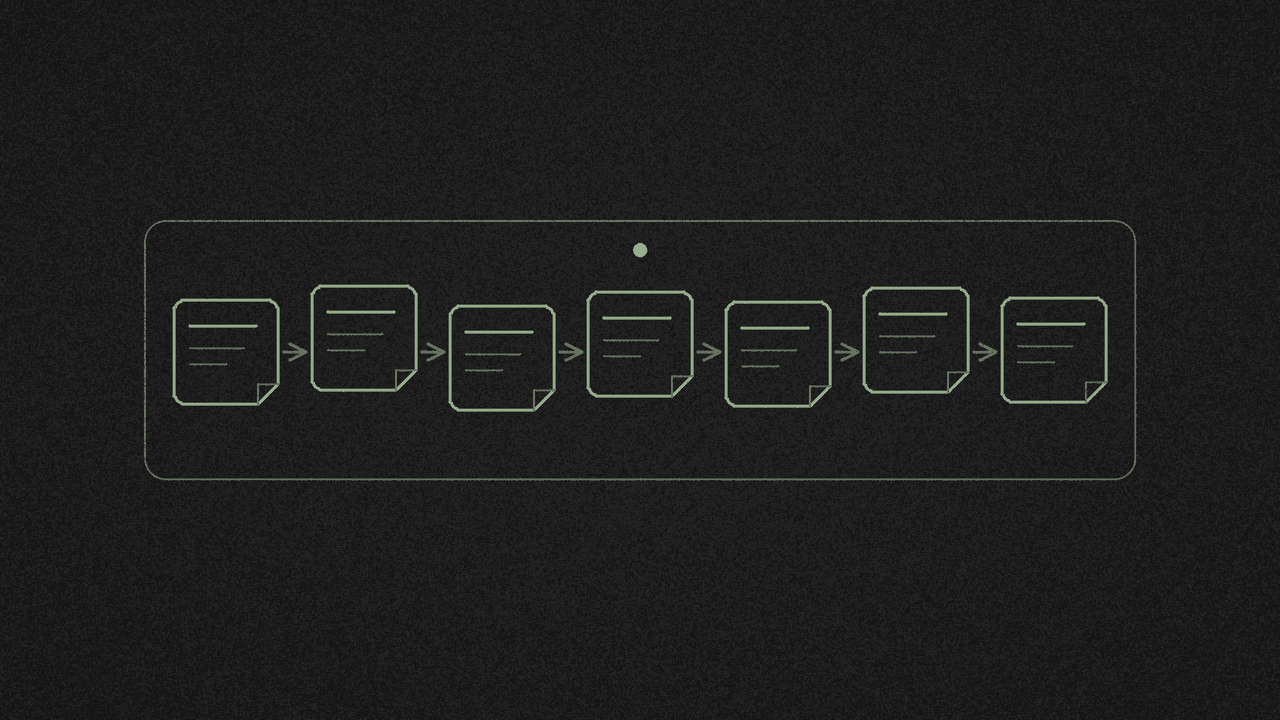
You want to post a short video every day this week and you have no budget for a planning app. ChatGPT can give you seven ideas with hooks in one answer. The free infinite canvas gives each idea its own sticky note, joined Monday to Sunday with arrows, and keeps the board in your browser.
shinmuscat doesn't connect to ChatGPT. You copy the ideas across by hand, one note at a time. We ran the whole thing on 17 November with logged-out ChatGPT and a home-baking niche, and every quote below comes from that run.
What you should know first
- One idea per note. Pasting the whole ChatGPT list onto the board gives you one text box. Type or paste each idea into its own Sticky note.
- Your first visit opens a sample board. The app opens My first board, with To do, Doing and Done columns. Go to All boards, then New board, for a blank canvas.
- The board lives in this browser on this device. The top bar reads Saved in this browser. To move a board somewhere else, use Save file, then Open file.
- Arrows stick to notes. Drag a note and its arrows follow.
- There's no share option. You can save a .shinboard file, or export a PNG or PDF.
Step 1: Ask logged-out ChatGPT for seven ideas
Open a private window in your browser and go to chatgpt.com. We used a private window because a normal window showed us a stale "Your session has expired" message the day before. In our run the header read just "ChatGPT", with no model name, and Log in and Sign up for free sat in the top right.
OpenAI's help page on the ChatGPT home page says "ChatGPT can be used without an account in supported countries, including in Europe and the UK. Access may vary by location or network, so some users may be asked to log in or sign up before sending a message." It also says "While logged out, you can only have one conversation at a time." Logged-out chats aren't saved, so you'll want the ideas on your board before you close the window.
This is the prompt we typed. Swap in your own niche:
I'm a small creator with almost no budget. My niche is home baking: simple cakes and bakes made in a normal home kitchen. Give me 7 short-video ideas for one week, one for each day from Monday to Sunday. For each idea, give a short title, a hook line for the first 3 seconds, and the format (for example talking head, overhead hands-only, or before/after). Keep each idea short enough to fit on a sticky note.
ChatGPT's answer, as it showed on screen:
7 days of home baking content

A low-budget, easy-to-film weekly plan using ingredients, equipment, and everyday moments from your normal home kitchen.

| Day | Short title | First 3-second hook | Format |
| --- | --- | --- | --- |
| Monday | The 3-Ingredient Cake | "You only need THREE ingredients!" | Overhead hands-only |
| Tuesday | Baking Mistakes | "Stop making this cake mistake!" | Talking head + demo |
| Wednesday | Cake Before & After | "Wait until you see what happens in the oven!" | Before/after |
| Thursday | Budget Baking | "I made this cake without spending much!" | Overhead hands-only |
| Friday | Perfectly Moist Cake | "Here's my secret to a moist cake!" | Close-up + voiceover |
| Saturday | Messy Kitchen Magic | "This kitchen mess turns into THIS!" | Quick-cut montage |
| Sunday | Family Favourite Bake | "This is the cake everyone asks me to make!" | Talking head + baking clips |

Simple filming tip

You don't need fancy equipment:

- Film vertically using your phone.
- Use natural window light.
- Prop your phone against a stack of books.
- Add captions so people can watch without sound.
- Keep videos around 15-30 seconds.

Weekly content strategy: Mix useful tips, satisfying visuals, budget-friendly recipes, and personal moments. This helps people discover your content, save your recipes, and connect with you as a creator.
We asked for seven ideas, Monday to Sunday, each with a title, a hook and a format. Every row has all three.
ChatGPT also added the filming tips, the "15-30 seconds" length and the strategy line without being asked. Those are ChatGPT's suggestions. We didn't test them, and they aren't TikTok or YouTube guidance. Leave them off the board unless you've checked them yourself.
Step 2: Open a blank board
Open the infinite canvas and start the board. On your first visit it opens a sample board called My first board, with To do, Doing and Done columns and a few notes.
Click All boards, then New board. The card reads "Blank, infinite, yours" and opens an empty Untitled board. Click the board name and call it something like "Week of 17 Nov".
Step 3: Put each idea on its own sticky note
- Pick Sticky note on the left rail, or press N. The tooltip says "Click the board to add a note".
- Click the board. The note appears with its text field already open, so start typing.
- Type the day, the title and the hook. For Monday we typed: The 3-Ingredient Cake, "You only need THREE ingredients!"
- Press Escape to finish the note.
- Repeat for the other six days.
Pasting all seven rows in one go gives you a single text box with every line in it. We tried it. For seven separate notes, place seven notes and fill each one.
Colour the days so they're easy to tell apart at a glance. The note colours are Lemon, Peach, Rose, Lilac, Sky, Mint, Sage and Stone. We gave Monday to Sunday the first seven, in that order.
Planning a few weeks? Put each week in its own row. The board keeps going in every direction.
Step 4: Join the days with arrows
Pick Arrow, or press A. The tooltip reads "Drag to draw an arrow that sticks to shapes and notes". Drag from Monday's note to Tuesday's, then Tuesday to Wednesday, and on to Sunday.
The arrows stay attached. We dragged Tuesday a long way across the board, and the Monday arrow shortened and followed it. Swap two days and the line still runs from note to note.
Step 5: Keep the board, and move it if you need to
The board saves itself as you work. The top bar reads Saved in this browser, and when we reloaded the page, all seven notes and the arrows were still there. There's no account.
The board list says "Boards are saved in this browser on this device. They are never uploaded." Clearing your site data can delete them. So keep a backup.
Open Save or export in the top bar and pick Save file (.shinboard). To open the board in another browser or on another device, go to the board list there and use Open file. Do the board work in the browser you'll come back to.
The same menu has Export PNG or PDF, for a picture of the whole board or only the notes you've selected. There's no share link. To show the plan to someone, send them a picture or the .shinboard file.
Why plan the week at all
Both platforms ask for a schedule you can keep. TikTok's Creator Academy, in its post on building a sustainable posting routine, says "On TikTok, consistency matters more than perfection!" and suggests "keeping a journal or a dedicated notes page on your phone to capture ideas and inspiration."
YouTube's Shorts upload schedule tips say "A consistent, sustainable release schedule is critical" and suggest "filming Shorts in batches and saving in-progress Shorts as drafts whenever possible." YouTube also says "There is no minimum posting cadence required for your videos to perform well." Seven a week is our example, so pick a number you can film.
A board of seven notes makes batching easier. You can see which days share a format, such as Monday and Thursday, both overhead hands-only, and film them in one session.
Next step
Ask logged-out ChatGPT for your seven ideas in a private window, then open the infinite canvas, make a New board and give each idea its own Sticky note. Want columns for what's filmed and what's posted? Here's how to make a kanban board without signing up. Collecting looks and thumbnails for the week? Try a mood board. Ready to write the scripts? See how to turn TikTok transcripts into your own script with AI.
Put it on a board
Drop in pictures, sticky notes, text and arrows on a free infinite canvas. Boards save in your browser, with no accounts and no sign-up.