Turn Viral TikToks Into Your Own Script With AI, Then Record It
Pull caption transcripts from TikToks, have AI find the hooks and beats, write your own script in that shape, then record it in your browser. Two prompts.
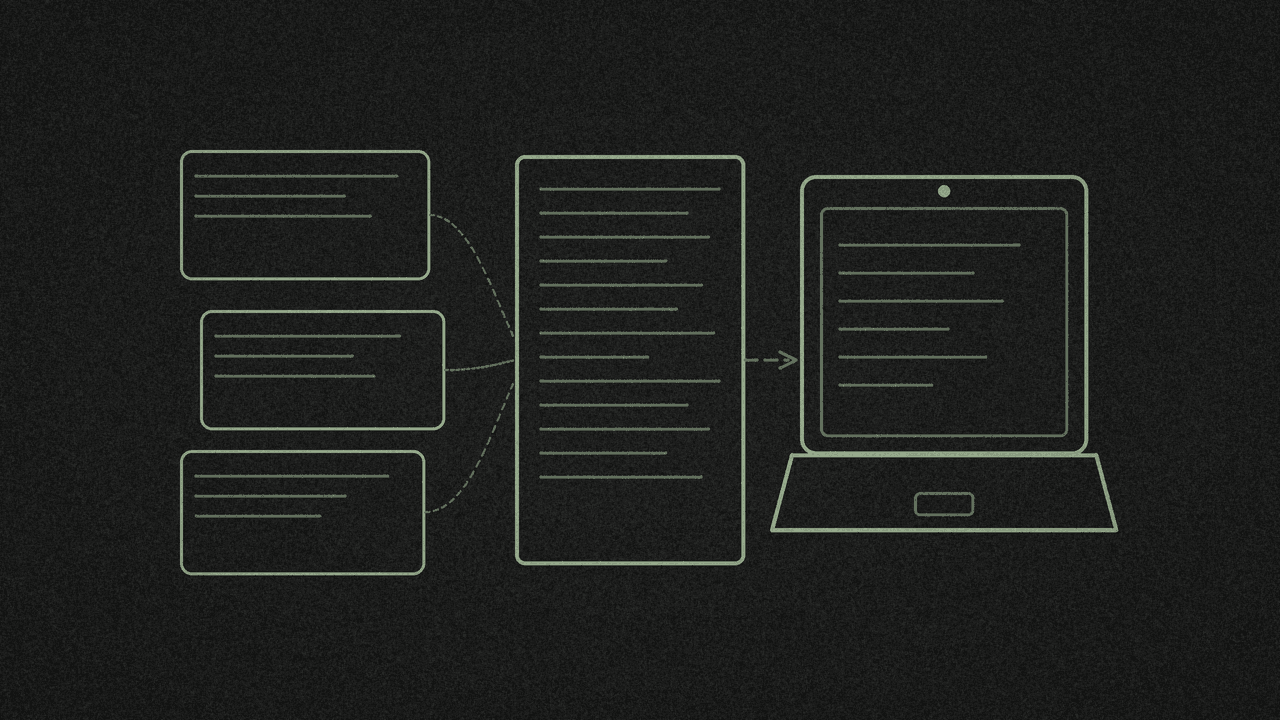
A TikTok that works for someone else has a shape: how it opens, the order of the beats, how it asks you to act. AI can find that shape across a pile of transcripts in a minute. Then you write your own words into it and record yourself reading them.
We did this end to end on 11 November. We ran 15 public TikToks through the free TikTok script extractor (11 exported), pasted the transcripts into Grok Bot chat with the two prompts below, and recorded the script in the free screen recorder. The prompts are plain text, so you can paste them into any chat AI. We only tested them in Grok Bot chat. ChatGPT and Claude both asked us to sign in when we tried them logged out.
What you need
- 5 to 15 public TikToks in your niche. We used AI-tools and productivity tips.
- An AI chat you can paste a lot of text into.
- A computer with a desktop browser for the recording.
Step 1: Export the transcripts
- In TikTok, tap Share, then Copy link.
- Paste it into the TikTok script extractor. The box reads
https://www.tiktok.com/@creator/video/.... - Press Pick every word. It says Picking while it works.
- When you see "Captions extracted" and "Ready to export", press Download and pick Plain text .txt. Or press Copy to put it on your clipboard.
- Paste each transcript into one text file, one after another.
The tool reads captions only, never the audio. It exports TXT, SRT and VTT. The TXT has no timestamps, and each caption line is separated by a blank line.
Not every video will work. Of our 15, 11 exported and 4 failed, all with the same message:
This video has no accessible captions. Audio transcription isn't enabled yet. Try a video with spoken captions.
If you see it, pick another video.
Keep in mind what a transcript leaves out. It shows the wording, not the visuals, and it can't tell you why a video went viral. The first prompt tells the AI not to guess.
Step 2: Ask AI for the patterns
Open your AI chat. Paste this prompt, then paste your transcripts where it says.
Below are caption transcripts from public TikTok videos, exported as plain text with shinmuscat's TikTok tool. They contain only the on-screen/auto captions: no visuals, no audio, no view counts, so don't guess why any video did well.

Do three things:
1. HOOKS: For each video, quote its first sentence exactly and label the hook type (for example: bold claim, question, number promise, "stop doing X", personal story, demo tease).
2. STRUCTURE: Describe the beat order most of these videos follow (hook, setup, steps, proof, payoff and so on). Give rough sentence counts per beat, and name any videos that break the pattern.
3. CTA: Quote each video's call to action exactly (follow, comment, link, save), or write "none" if there isn't one. Say which CTA type is most common.

Finish with a short table: pattern | how many videos use it | one example quote. Only use words that appear in the transcripts.

TRANSCRIPTS:
[paste all-transcripts.txt here]
shinmuscat doesn't send anything to the AI for you. You copy the text across by hand.
On our 11 transcripts, Grok Bot found the most common beat order was:
Hook → Setup → Steps/Features → Proof/Payoff → CTA
It counted bold-claim hooks as the most common opening, used by 4 of 11 videos. One it quoted:
"There's a file Claude reads every time you open it."
And it found Follow was the most common call to action, in 6 of 11. Its example:
"Follow for more coding videos."
That matches TikTok's own advice. TikTok Creator Academy says: "In the first few seconds, make sure your viewers see something different, original, or attention-grabbing…"
Step 3: Check the AI before you trust it
The analysis was useful, and it still made mistakes. Ours had two kinds.
Some "quotes" weren't quotes. It put pattern names in quote marks, such as "stop doing X" and "comment a word and I'll send it". Those lines aren't in any transcript. The full-sentence hooks and calls to action it quoted did match.
Some counts contradicted each other. It counted the number-promise hook once in its hook list, then twice in its summary table. It also gave different numbers for how many videos followed the main beat order.
So before you use a finding:
- Search your transcript file for every quote. A quote you can't find is the AI's own label.
- Count the big patterns yourself. With 10 or so videos, it takes a few minutes.
Step 4: Ask AI for your own script
In the same chat, paste this. Swap in your own topic and audience.
Using only the patterns you found above (not the wording), write an ORIGINAL 30 to 45 second talking-head script for my own video.

My topic: [your topic]
My audience: small creators on a low budget.

Rules:
- Don't copy any sentence or distinctive phrase from the transcripts.
- Use one hook type from your analysis and name which one.
- Follow the most common beat order, and label each beat in [brackets].
- End with the most common CTA type, in my own words.
- Keep it under 110 words, written to be read aloud from a laptop screen.
- After the script, list which pattern each beat came from.
Our topic was "How I turn other people's TikToks into my own script in 10 minutes, using free browser tools". Grok Bot returned this, word for word:
[HOOK] My last three scripts started as someone else's TikTok, and they cost me nothing.
[SETUP] Copying their words is lazy. Copying their shape is smart. So I keep the shape and throw away the words.
[STEPS] First, I grab the captions from five videos in my niche with a free browser tool. Then I paste them into a free AI chat and ask for the hooks, the beat order, and the endings. Last, I write my own lines into that shape.
[PAYOFF] Ten minutes, zero dollars, and the script still sounds like me.
[CTA] On a tiny budget too? Tap follow and I'll break down my next one.
That's 104 words, with a bold-claim hook and a follow ending, the two patterns it found most often.
Step 5: Check the script is yours
We checked the script against all 11 transcripts. It shares no run of 6 or more words with any of them.
Do the same with yours. Pick a few phrases from the script and search your transcript file for them. If a line matches, rewrite it. Then read the whole thing aloud and change anything you wouldn't say.
Step 6: Record it
- Open the screen recorder in a desktop browser.
- Pick a mode: Screen, Screen + camera or Camera.
- Set the Microphone and Tab/system audio switches.
- Press Start recording.
- When you stop, you get Download, Edit in video editor and Record again.
Our test was narrow. We picked Screen, with both switches off, and shared a browser tab with the script on it. The take ran 21.4 seconds. We didn't test the camera or the microphone, so try a short take first and play it back before you record the real one.
To film yourself reading, pick Camera or Screen + camera and switch the Microphone on. Here's how to record a video of yourself on a laptop, and which mode to pick.
Our take had no sound, and no Transcribe button appeared on it.
Next step
Paste five TikTok links from your niche into the TikTok script extractor, download each as TXT, and run the first prompt. Want to compare hooks by hand first? See how to pull insights from TikTok videos. Got your script? Ask AI to turn it into an SRT file and make a captioned video. Rather not film it yourself? Make the shots with an AI video generator and stitch them into one short. Researching X videos too? Here's how to summarise an X video with AI from its transcript.
Want a week of ideas to script before you start? Plan a week of short videos on an infinite canvas with ChatGPT. Posted the video on X? Turn it into a LinkedIn post and a thread with AI.
Want the lines laid out as a script?
Paste a public captioned TikTok into the free TikTok script extractor. It reads the caption track and returns timestamped lines, hook to close. No audio transcription.